Categories
Client Projects Featured

Credit Platform

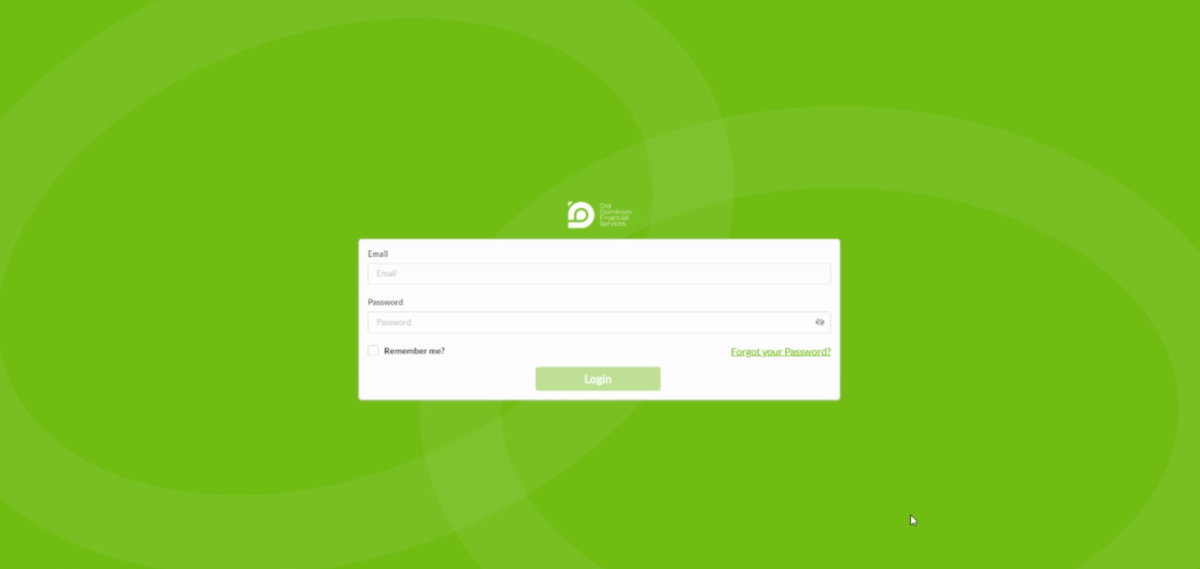
Hey everyone today, I’m demoing this financial services platform. We built for a company called Millennia Tax Relief in Los Angeles under the pseudonym, Old Dominion Financial Services. As you can see, we have odfs.app here which is not the permanent address. ( clicks in browser url address bar ) So if I go in here and type in staging, we have two different domains for development.

Let’s go and log in. Okay. Actually it’s not that one. I think it is this one. ( uses login screen to authenticate ) Yeah. It’s been a while since I worked on this. So what you fail to see was actually a DocuSign integration because I had already logged in prior, but before it hits this, it’ll normally hit DocuSign and you end up logging in to DocuSign as a prompt, and then there’s a redirect from DocuSign to the web application. That being said the way this works is that there’s applications for credit here and there’s five different states pending, approved, signed, completed, or rejected. I created an initial flow diagram in going through this flow with the client, basically you go to the credit application you create an application there. And then from there, someone at the company would have to approve it. If it looks good, when it is approved, then what happens is a DocuSign contract is sent to the client. They sign it, a DocuSign web hook comes over to the software end here and then it’s marked signed. And then someone at the company either finalizes that after manual processes on their end, that just can’t be automated at this stage, and it would be marked completed. And there you have it.

So, let’s see here, there’s different actions. You can actually download a PDF here which would show the information here so you can see kind of the details. What else is going on? You can edit the application, you can add a co buyer, there’s a billing form. So you click here. ( clicks on billing form action application popup ) It’s already been submitted. Okay. Since that one has already been completed, let’s go to one that is pending. It would have to be, actually would have to be signed. Yeah, here, let’s check this one. Yeah. So the billing form on this one there’s a Stripe integration here, so this is secure through their API and you’d either enter in your bank account or your card details here. So let’s go back and check out a credit application, what that’s looking like. So I do want to actually go through all of this. It takes quite a long time, but to do this, you have to go through all of these these steps here and enter in your monthly payments. And why not? I’ll just do it as fast as possible here.

( Starts filling out lengthy loan application form )

And entering like APR calculates Calculations. Okay, great. Yes. Continue. As you can see the next step pops up and gets filled here and I’ll just fill that with a plugin, cause I have some, some plugins for filling forms, but they don’t work entirely a hundred percent. Let’s see. There was a certain formatting on there. And if you haven’t used it before, you get used to it, let’s go California. Well blah, blah. Yeah. Here yeah, yeah, yeah, yeah. Okay. Is my email in here? I really gotta make sure the email is correct. Because the point of doing this is that I will get a contract to my email and that will be next to show. Okay. Okay. Tests tests, or blah, blah, seven years. Okay. Checking. Okay. And that’ll populate this dropdown keep going through no co buyer, continue. Okay. Terms and conditions. Here’s a bunch of these conditions here. And then we’ll just say that it’s authorized by the seller because, hypothetically, I would not be the buyer and the seller at the same time, but just for this demo, you can see that it was added. And at the top here we have account number 65. Okay. Which is pretty handy. Let’s go over to, email here ( checks gmail account ) and in my inbox I think I would be, oh right. I have to go through the steps, almost forgot. So I would have to actually approve this. So it’s now been approved and see that it hit the back end and it’s now updated the state. So when it’s approved, it should send me a contract.

Oh, bam. Is this it? Nope. Not yet. That’s actually a new device log in. ( Docusign contract email appears in gmail ) So here it is though, amazing, review document to sign application 65, beautiful. You know, this type of stuff is very powerful for a business. So let’s review the documents. I’ll have to blur some of this out just because it pertains to my client’s details and that is their personal information. And not necessarily kosher, I suppose you’d say to share. So I’ll actually have to just blur almost all of this out. So yeah. There’s two pages to this. Okay. For the sake of the video and blurring, I’m just not going to really scroll on this, but if I do go down to the very bottom, I can sign it. And then from there, after signing it and hitting finish, it’ll with a web hook mark it as signed. I’m not going to go through that whole rigamarole. I know it works because, you know, we worked on it and built this thing.

So let’s just go over to Stripe and check out some of the potential payments here. So let’s make sure we go to some that have been completed and get those account numbers. So we have about a 64, 60, 30, 6, 12, Maybe like yeah… 60 – Guy, A Richie. I like that name. ( goes to Stripe dashboard ) So if we go to payments here and go to research what about 60? Let’s see what comes up here. I’m not sure If I actually have paid for all of them because in testing, there’s different stages of testing and it’s not entirely the same flow as it would be in production. So let’s actually go to customers and go to subscriptions. And if we go to subscriptions and search 60, what about Guy… it’s actually been like a bit awhile cause we had worked on this and then pivoted over to, to another project. So that’s why, let’s see. What about Michael? Yeah. Okay. So a lot of subscription action going on here. Let’s find a Charlie Brown, a Emmanuel T Busher what about him? Let’s see Busher. That’s what they’re going to come up. Let’s see. So yeah, Emmanuel T Busher so you can look it up via the last name, but as far as I recall, we were also able to index this via the account number. So currently I’m actually a little bit surprised. I know that Stripe has worked on their platform. Oh yeah, here you go. ( finds customer by application index number ) So you just hit 12, you put it in there and if it exists, you can hit that. And there’s Emmanuel T Busher. So there you have it, $10 is just this testing amount.

But very powerful there, you can see that we have DocuSign contract agreement, web hooks. We have Stripe web hooks going on. We have the Stripe payments very powerful stuff here, guys. So anyone who’s interested in a software like that, you know, if I’m not currently tied up in many other roles, you know, feel free to hit me up for some kind of side freelance down the line. Currently I’m maxed out, but that would be in 2021, however, 2022 might be a different story. So always be on the lookout. Thanks everyone. Bye.
Categories
Client Projects Featured

Legal Shield

Hi everyone,
Today I am going to be talking about a client of ours named LegalShield. We are currently working on the automation of several of their applications. This is the initial application and it is essentially a marketing blitz. Most people who are in business completely understand the importance of marketing. Increasing the efficiency of a solid marketing program really helps to improve and contribute to the overall growth of a company. You can do outstanding work and really help people but unless they know who and what you are, they most likely will not use your services. 

( Screen Change – LegalShield Business Solutions Screen

So let me explain what LegalShield is for context purposes. This is their main website here and the banner headline is “Affordable Legal Help for All”. That’s something I really like because I know many people in the world and specifically many Americans here cannot afford legal coverage. It is important and very helpful to have a company that can offer affordable legal services to the community. I feel good working with LegalShield, suffice it to say. So, I will now explain some of the areas of improvement of their software applications. 

( Screen Change – Logging into Admin Dashboard Screen

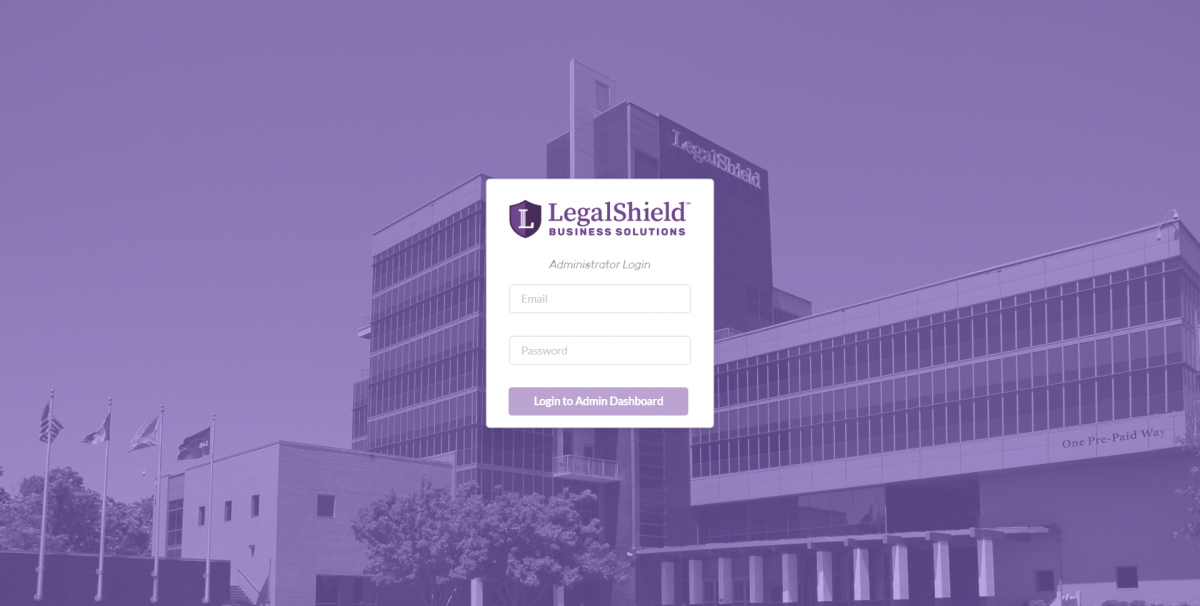
This is the Marketing Blitz here and I am going to log into the Admin panel first to set the Blitz and then show what it looks like for users. By the way, you can see the LegalShield building in the screen background. 

( Screen Change Upcoming Scheduled Blitz Sessions

We have three options that are available when a blitz is not currently active. These are the Blitz Scheduler, Managing Admins and also statistics. I will connect with the Scheduling part last. 

( Screen Change – Current Blitz Admins

Please check out the Admin Panel. I am logged in as an Admin under my backend developer account. You have different columns here which include Master Admins which has the highest level of privileges and can delete other Admins or create new Admins. You can also create a new Admin via this handy pop-up menu. You can filter, use a variety of pop-ups, delete, create a master and of course edit. Those are the main options available which as you can see are all pop-ups. 

( Screen Change – Current Blitz Statistics

Blitz Statistics is an important feature because it can be used to increase and optimize efficiency by using the available metrics. Previously, the metrics were not automated in this fashion and this is really a step up for LegalShield. We can implement this type of strategy and functionality for many businesses. We do custom development and most things you can conceive of – we can do. So there is deletion – this is a test blitz and let’s just delete it. 

( Screen Change – Prospecting Blitz

We have sorting capability on the columns. Let’s click thru one so you can see everyone’s names here. I will have to blur the names out because of privacy rules. You can sort the columns based on appointments and the entire header row. Pretty useful tool considering they give prizes to the top performers. 

( Screen Change – Upcoming Scheduled Blitz Sessions ) 

Let’s check out the Scheduler and make a test blitz. So we go in here and insert Test Blitz and add the date which is Friday. Happy Friday everyone! It is almost 3:30 so let’s do it for two as it is already active and then lets keep this to the end. It is in 24 hour time notation just to avoid confusion. It’s a little bit extra math but I am sure everyone can handle it. So there it is and you can see 2:55 PM to 3:55 PM. 

( Screen Change – Login – Test Blitz is Active ) 

So, if we go into the login and refresh this and say we are a user, you now have the name of the blitz which is active and ending in 26 minutes. All of the time functionality is adjusted for everyone’s time zones for storing and showing the data which is a very important function that can actually be more complex than people would assume. So, let me join the blitz. As you can see, this is my personal data that can be automatically populated. How did we do that? We take the IP and store the user’s prior logged in details and automatically send that to the front end and pre-populate it. We have this drop down menu which is a State and Province supporting candidate as well and you can see it is actually a search drop down menu where you can search and see how that works. 

( Screen Change – Welcome to Group Prospecting Blitz

So, let’s join the Blitz as this is what it is all about right here. As you can see it is a Marketing Blitz. So, imagine a big leaderboard here and you have a moderator that can put in comments which includes the time that it is ending. Please note that all of this works and is fully supported on mobile devices. So, nothing can go below zero which really improves efficiency. There is also a gamification aspect to this and I think this will also improve the overall experience for the marketing staff. Previously they would work from home making calls and just writing down what they did. This on the other hand, is more of an interesting event which has a bit of excitement and challenge to it. I know if I was doing marketing, I would prefer this versus the standard alternative.

( Screen Change – Test Blitz is Active, Ending in…

( Logging as Admin – Upcoming Scheduled Blitz Sessions

( Moderator Comments

So let’s check out comments. Let’s say I am logging in as an Admin after the blitz has started. At the same time the managed users and managed comments function is enabled. So, let’s start with comments and show you comment one, comment two and comment three. Please note that Josh is my backend developer and for ease of operation we have the Admin Account in his name. 

( Screen Change – Welcome to Group Prospecting Blitz – User Facing Side

If we go to the user facing side, we have comments one, two and three and you can see that Josh is also added. The way we worked this out, is similar to a giant room essentially via Socket IO so the Admins are connected to the room and its OK if they are in the Leaderboard as it shows everyone that they are present, despite not working on calls or appointments. This is an intended function. As you can see comments one, two and three and let’s say we delete comment two. You can see only comments one and three appear on the screen. 

( Screen Change – Current Blitz Users

Also, here is an interesting and fun function. As you can see, the screen shows the people who are active in the Blitz right now and this is my account which is located on the user-facing side. I do not want to block by email or IP address because I do have to work on these items as well as others but let’s say we want to delete the user. Now deleting a user will essentially delete the user from the database and remove them from the Blitz. So watch what happens on the screen when I execute that action. If I click and delete the user is gone. Now it is a white screen because I have been deleted or kicked out of the Blitz. No Blitz for me today! So, that would be what would happen should someone be banned or permanently blocked – they would be seeing only a white screen. 

( Screen Change Affordable Legal Help for All ) 

In summary, as you can see, this is the marketing software we do for LegalShield. We also have other software we are planning to develop with them and look toward partnering with LegalShield as a long term client to help improve their overall business, bottom line and essentially the value that they bring to the lower income option in this aspect. In other words a more affordable or economical option for people so they can receive helpful, high quality and affordable legal advice. So, feel free to visit www.legalshield.com if you need any type of coverage or legal plan that is available from their website. 

Thank you everyone and please contact us should you require high quality and timely custom web development. Thank you for your time.

Categories
Client Projects

Zaam

This was a project I did for a  company called Zaam, as a freelance contractor with my business. Zaam does business onboarding forms. They are a SaSS company. Fantastic product if you are a large company or if you have a lot of regulation for your clients, a lot of forms, automatic PDF’s filling out agreements use Zaam, Zaam.io, fantastic. 

So this was the main product that I helped build for one of their clients. 

(clicks on yes)

This is a pre-filter that puts you on a list or allows you onto the next form. If I click “no”, I’ll basically get blocked and I cannot continue, but let’s say yes. 

So, here we are, this is the main step forms here. 

(tries to click ahead)

I cannot click ahead. I have to do it sequentially. We thought that made the most sense. 

(clicks on the plug-in to the top right, starts to click on fields to reveal roll down menus)

I also have a handy plug-in here, that allows the browser to fill in fields with dummy data. On some forms that I built for this company, we have live SSN checking and what-not, a sync validation in it, but this is just synchronous validation for this. So you can see that we continue. 

This is still in development, but it’s more or less there.

(hovers over circles to the left)

 So on production these circles are the right size and things are more or less good, so you can see that now that we have the second form. 

(clicks on first circle)

If we want to go back, we can go back. 

(tries to change something)

If I change something, and I try to continue…oooh, that’s actually optional. You can see that we cannot continue. That was funny there, guys. 

(resets page)

So let’s continue, that basically re-saves it. I’ll show you here after I upload some more things. 

(chooses from citizenship field)

Citizenship, let’s say it’s not American, there’s some logic, 

(fills in number for passport)

has to be a National I.D., passport number, and you have to upload your passport.  

(scrolls down to photo upload area)

Let’s upload some cute dog photos, bam! 

(continues scrolling through the fields)

They’re uploaded, they go to the server, there’s an EUID, there’s an S3 bucket that host’s them, but let’s say that the country they actually reside in is different. So U.S. country?  They

Dropdown. Non-U.S. country? Date or Province textbox. Makes sense, right? 

(hits continue)

So I could continue on that. There is some logic for these, right? Let’s click on through all that. 

(starts filling in answers. Clicks other owners)

Are there other owners? You can add these dynamically. One, two, got it? 

(fills out one field)

But for the sake of time, let’s just do one. 

(quickly selects options in fields)

Let outright quick, let’s say they are Albanian, and we need a different photo. Let’s use Patch pup. He’s a great one. And the country, let’s say they are actually in the U.S. now. A little logic on the continue. We save that and let’s fill this out. And of course, these have to match, so Lucy Rosalles, alright. All this data goes to a CRM that Zaam has built for the client. This is essentially a pre-submit that stays in the date base, 

(clicks on authorization)

and you have your typical authorization. Click-throughs, if you click this link it goes to a pdf generated by the back end. I didn’t build that, so I’m not going to demo it.

(clicks submit)

You have a final submit. Submit application. Bam! There you go! Right? The cool thing about this is if I go back…

(pop-up window opens with something about motorcycles)

oops! I ride motorcycles. Let’s load that out. 

(goes back to data just entered)

Okay, you can see that you can go back to all this data and it has been saved. You can see these images, see these owners, it’s all there. So really great software, like I said it’s still in development, so we’re still putting in more logic and integrating this to be more complete, but for demonstration purposes and an example of what my business can offer your company, I think this stands to be a very good example. So I hope you enjoyed it, and take care. 

Categories
Featured Our Software

3D Earthquake Visualizer

Hey guys,

Today I’m going to be talking about 3D data visualizations using Three.js, React, data feeds from the USGS and progressive web applications. I think progressive web applications are a huge thing potentially for businesses that want to have a high return on an initial investment because you can deploy it to the web and also playstores. I’m going to show you that right now actually.

(clicks on another window)

So, firstly let’s check out the data feed. Here it is. This is the USGS (United States Geological Service).

(moves cursor to the bottom right column, clicks through to data)

They have data feeds on the side here…we click through, this is the maximum, all the earthquakes in the past 30 days. You can see how long that took. It’s a massive amount of data actually that comes through the scroll bar, so…so small there.

(power scrolls)

You can even see that in scrolling on my screen, if I scroll fast enough down, I don’t know, it kind of janks up sometimes.

(switches back to prior screen)

The interesting thing about this was, in doing this I actually noticed a bug in the USGS’s API, when the 30 Days, All Earthquakes count grew to be too great, I believe it was when it was over 15,000 or 20,000, something like that. When the data set was too long it actually would just error out. The whole API for that went down. I had to contact the USGS myself and have them fix that. So they just raised the limit for my request. So if you end up using these API’s and you specifically need the All Earthquakes, for the 30 Days, and it gets really high one month…you’re welcome. Haha! Thanks, also to the USGS for providing these fantastic data sets and fixing that.

(clicks on another window)

Let’s jump over to the Google playstore. As you can see, this is a progressive web app. Which means that I’ve gone and built it on a website. Right, it’s web-code, it’s HTML, CSS, Javascript, Frameworks, of course, React, Three.js. But the cool thing about this is you can build it in one language and deploy it across multiple platforms. Very great for business return on investment, fantastic for MVPing. Very great for early-stage startups and testing things out, because you only really need one set of developers. Good luck finding someone who knows how to write Native, Objective C, and Java, and Javascript. It gets a little intense having to manage all these people. So it’s a great way to start out.

(switches back to app)

So, let’s jump over to the app. I want to talk about some of the technical implementations I’ve put in here, that were essentially non-standard, I wasn’t expecting. So, this is built with Three.js. The data sets are so large that if you put this on the client-side, like on a phone for example it’s going to crash the browser in the phone. It’s just going to take it down. It doesn’t matter if you are on an old phone, a new phone, an iphone…it doesn’t matter. It’s just too much data, it’s difficult to do. So in doing the UI, I really wanted to keep it simple, I didn’t want to put in React components, I wanted simple HTML, and that’s what we got here, because the actual visualization and the data is so intense that I wanted to keep everything else really simple.

I put in a custom API for estimating download times. I take that GeoJSON set in the back end, I run some cron jobs and I convert it into Three.js, JSON on the server-side, which is not very often done. So, I’m one of the few people who have done that because I had to go through a bunch of…I had to surmount many problems in doing that because It’s not a typical use case. But we’ve gone and done that here, and it’s a fantastic experience.

So let’s check out the 30 days and jump in here. I built this project originally because I had met, now a good friend of mine in Thailand, from Nepal. His name was Mukti. There was a huge Nepali earthquake at the time. He brought people in from his village and housed them. Quite a lot of people in fact. I was so inspired that I really wanted to build this.

This is the application here.

(moves cursor over the left side bar, scrolls)

So, we have on the left side bar, all the earthquakes for the past month. There’s the location search. There’s list virtualization here. If you had that many in the list it would jank up, it would be a terrible experience. But what it does is it only render this 15 or 20 out of the entire set, dynamically and removes them when they are out of view. Which is great.

(selects physical globe from right sidebar)

So let’s check out some of the different textures I have here. I have a physical globe. That removes the cloud layer. I got these images from NASA and compressed them a bit.

(selects Political Globe from right sidebar)

If I go into the political globe it switches over, and you have a very bright white outline of the borders, and you can really see the coloring. The way the coloring demonstrates visually the intensity of the earthquake is if it is green and small, it is a short earthquake. If it’s a long, lengthy point, like this one over here, Woooh! That’s a big one.

(selects Tectonic Globe)

Alright, let’s check out the tectonic globe, which is a really cool globe texture I made in Photoshop, and then mapped to this 3D sphere. It’s great for education to show people that a lot of these earthquakes happen right along the tectonic plates. Super cool, great visualization I think.

(selects Physical Globe, clicks on Auto-rotation)

So let’s bump it back to the physical globe. You can see there is auto-rotation. Very calm auto-rotation, you can pop it on and off.

(hovers cursor over data sets on right sidebar)

And then there are the different data sets here. So once you download the 30-day data set, you get access to all the smaller data sets. If you just downloaded in the past hour, these are essentially grayed out and inaccessible.

This entire UI works on a phone, so the way it works is these selections are on the bottom, you are able to click and this will drop down from the top. It will replace the entire view, you click on this and then it will hide it and it will rotate to the location. You can zoom in and pan on the phone as well. I’m just doing the desktop because the video would be too long if I did it otherwise. Feel free to check it out. Specifically tested this in Chrome in an Android browser. There were some issues on Mac and Safari with the texture loader, I may have gone and fixed that, but I primarily develop on Windows or Linux.

(selects Past Hour on right sidebar, then Past 24, finally Past Week)

So let’s check this out. In the past hour only eight. So small, these earthquakes. In the past 24 hours, 280. Pat week, almost 2,500. Very cool stuff here, guys.

(Chooses 30 Days, then enters California in the search field)

Let’s check out the 30 Days, and let’s test out the search functionality. So if we type in California here, and do the search, it pops over, and this overlay comes out of nowhere on the left, and replaces it. Now let’s click on this.

(chooses specific location from the list)

So BOOM, you have zooming and panning to the location. You have this small sphere.

(switches to the Political Globe)

Let’s go over to the political globe, you can see it a little better. You see that there? You can. In the larger earthquakes, it’s a larger sphere. But it was a fun project that I enjoyed doing. There was some learning involved with mapping coordinates to a 3D globe, so I actually learned about Cartesian systems, and coordinate systems and maps in general. It was a great experience.

So if your business is needing some Three.js and React work, or just a progressive web app where you can deploy this into a play store or a Google app store for a relatively lower amount of initial investment than hiring a separate code team for four different platforms. I hope this video helps demonstrate the value in that. If you want to talk more about this, about how this type of approach can benefit your business, please contact me. I really look forward to talking about how we can generate more revenue and better experiences for your customers.

Thank you and have a good one. Bye.

Categories
Our Software

Wordza

Wordza was a web application I built with Vue.js + Vuex after having traveled around Ukraine for over a month. I’ve always had an interest in the Russian language since I was a child. I found the Cyrillic alphabet fascinating with it’s classic communistic block typeface and similar looking characters to the Latin alphabet. In my travels I realized that if I knew English, Spanish, and Russian that I would be able to speak to someone almost anywhere in the world.

With that ideal in mind, I began searching for language learning software! I soon found out that if you know the 1,000 most commonly used words in a language you can roughly understand the gist of 60% of what is said. This was a powerful concept in my mind. I would seek to learn the top 1,000 most commonly used words followed by grammar and natural conversation practice.

I was unable to find flashcard software that suited my three basic criteria:

  1. Allow for my own custom submitted word lists in addition to containing the top 1,000 most commonly spoken words.
  2. Automatic speech of the word or phrase by a native language sounding speaker via text to speech (TTS).
  3. Speech recognition of my spoken word and matching of my pronunciation with that of the text to speech.

With that discovery, Wordza: Language Flashcards was born!

I was pleasantly surprised to learn that some browsers, at the time of writing Chrome and Android browser, supported text to speech and speech recognition in the Web Speech API.

Text to speech functionality plays off this…

[code]
playTTS() {
let utterance = new SpeechSynthesisUtterance(this.$store.getters.currentWord);
utterance.lang = this.$store.getters.currentLang;
utterance.voice = speechSynthesis.getVoices()[18]; // Russian Voice
speechSynthesis.speak(utterance);
},
[/code]

While speech recognition is like this…

[code]
recordAudio() {
// Reset Match Status
this.recording = true;
this.speechMatch = null;
this.speechWord = “…”;

window.SpeechRecognition = window.webkitSpeechRecognition || window.SpeechRecognition;

this.recognition = new SpeechRecognition();
this.recognition.lang = this.$store.getters.currentLang;
this.recognition.interimResults = false;
this.recognition.maxAlternatives = 1;
this.recognition.start();

this.recognition.onresult = (event) => {
const word = event.results[0][0].transcript;
this.speechWord = word;
this.recording = false;

if (word === that.$store.getters.currentWord) {
this.speechMatch = true;
this.playCorrectBeep();
} else {
this.speechMatch = false;
this.playIncorrectBeep();
}
}
},
[/code]

Post in progress come back later!