Categories
Our Freeware

Precious Metals RSVP

Hey guys,

Today I wanted to show a bit of freeware I’m going to release. Upload this into a code repo and put the link into the description of the video. This was one of the final projects at the Academy of Art when I was there in 2018.

It gave me the opportunity to play around with Three.js, and some PHP. The requirement was to have a PHP database. So you’ll see as I go through here,

(starts animation)

I’ll just play this really quickly, that there’s a populated table with some fake data here that is off an API.

(flipping through the features)

The UI could be improved for sure. If I put in a bit of component framework, it would be a lot nicer, but this was just a bit of a more back end specific PHP project here. You know, form submission and updating and whatnot, but I really made this out because I wanted to do the Three.js on the side here.

(points to the graphic on the left side of the screen)

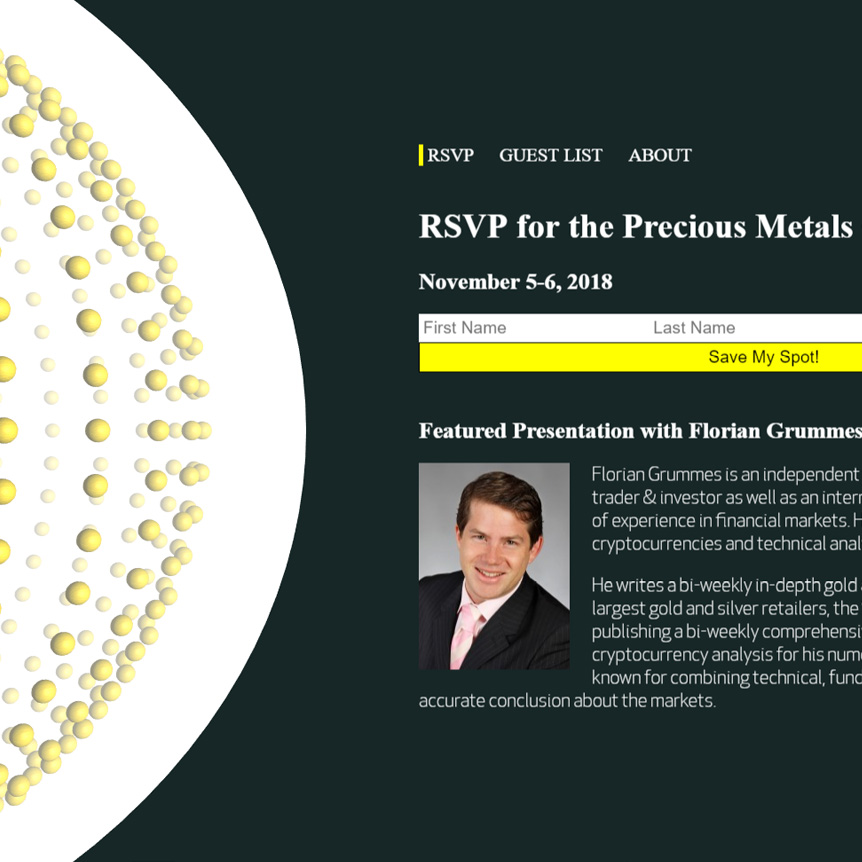
What I’ve done on the side is, this is sphere geometry and these are all vertices, and I just took the geometry, and I created spheres for every index in that array, and I just map over this array of vertices, and I place a new sphere at the location of that old vertex.

So in that you can do some really cool effects where you create a larger shape from some smaller shapes, and that’s actually a design principle. If you look here, we have three spheres here, going. We have the largest sphere, we have the smaller spheres, and then we have the actual background sphere. When it comes to design, repeating shapes is a bit of a design principle there, but I thought it was cool because you have 3D depth, and then you have 2D right here. That’s pretty sweet.

(moves cursor back to the information at the right, highlights the different features)

Anyway, the functionality is when you sign up and you do that form, you are able to go to this About page, and then this bottom part shows up, which is an iframe and then, thank you for registering and then they tell you when it’s at.

So yeah, going to release this. It was just a little bit of a project at University, I did way back in the day. So I want to allow people to play around with the Three.js parts, and then you’ll have to look into the PHP, because it was tied to a database, so likely those users are not going to exist, but there’s going to be an API call where you are going to be able to hit that and then populate that database. I think I even made a UI where you are going to be able to click a button and then you will be able to see it getting populated.

So just go through the PHP files and check out the repo a little bit, and it’s just a good starting off point so you don’t have to do a bunch of work to create a bit of a landing page thing, with 3D elements, database functionality and PHP.

So cool guys, check that out. Alright. Bye now.
Categories
Our Freeware

Space Sound Continuum

Hey Guys,

Today I want to demo the second product that I ever made in Three.js.

This was a more in-depth project that was just about learning and just having some fun. This was way back in the day. I learned a lot about shaders. I call it the Space-Sound Continuum.

What  I have is a few songs, and I have Javascript using the web-audio API to analyze frequency. Let’s see if I can jump over really quickly for this code… if it will open the right folder here, yeah…

(highlights directory on left)

So this is the directory for the game and we have a lot of shaders here on the side, a stereo effect for virtual reality. It creates a left frame and a right frame and then using the two it creates depth in kind of an illusionary perception.

(chooses script from the directory)

So let’s see here for the script and look really quickly at this. I have five different frequency counts and they are averaged out and interpolated in real-time. That was pretty cool at the time.

(chooses skyboxes)

And then about skyboxes, I don’t know if you know about them very much, but essentially you have an original image. See, this is basically wrapped up into a cube and it’s seamless. So it looks like it goes on into infinity. That’s how they make video game spaces in the background.

I’ve done some work in my earthquake visualizer, the skybox in that is not actually perfect. I don’t really mind that so much. Maybe one day I’ll go back and edit it, but these are just personal projects to show you some cool stuff that you can do with Javascript.

(switches to Home screen)

So let’s jump over to the game. I hope that it works well with the screen recording software, (inaudible) but I know without it it’s very smooth. There was originally going to be an upload song functionality, but I got busy, so this doesn’t actually work here.

(selects first track)

But let’s just jump over to this, and you see you have your virtual reality option and you have your standard desktop/laptop with a keyboard. Let’s try it out.

(demo)

So you can see that…let me drop the sound quick here…you can see that the actual properties of the game are mapped in real-time to audio of different frequencies. So we have lots of shaders doing fluorescence and anastrophic filtering and glow passes and all sorts of things here, and I use an octree for collision detection.

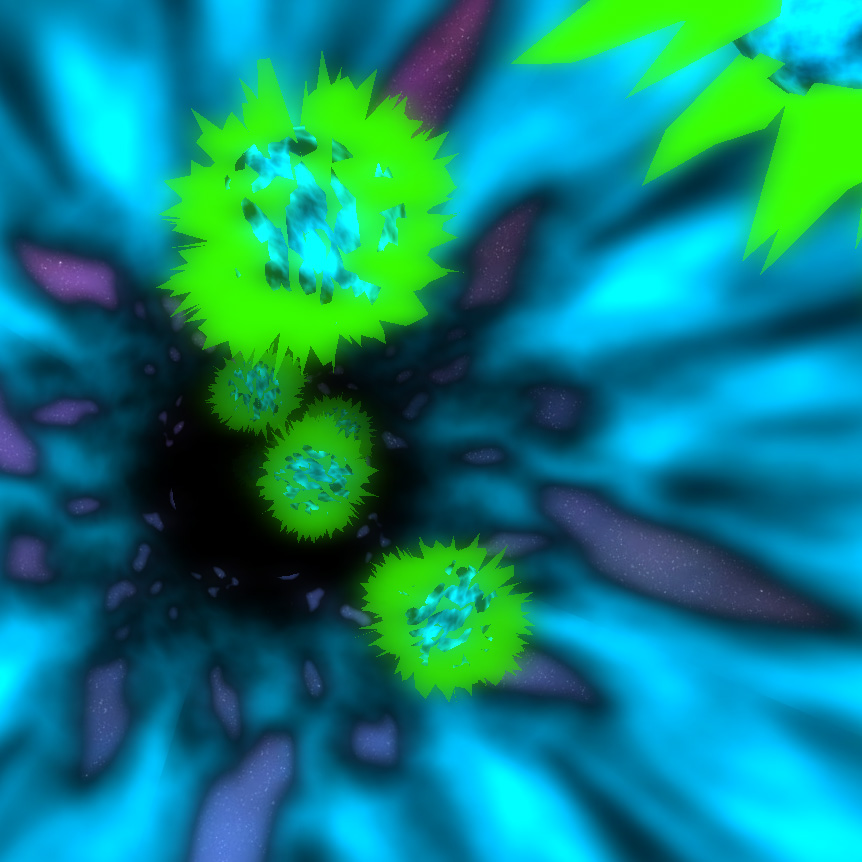
These little white spheres are actually health. So when you hit one of these spikey balls that use some custom shaders that I wrote, you end up getting knocked and your health goes down. Your health is actually illustrated through the light, so the more you get hit, the darker it gets and at a certain point if it’s too dark, you basically are Game Over and you get redirected, bounced back out to the Home page there, which is the song selector.

So let’s just play this for a little bit. You can always fast-forward in the video and check back in.

(plays game)

Ooof, ooof! So with the (inaudible) recording software, it actually kind-of ah, is a bit slower because there is a lot going on on this computer for that. But ah, as you can see there’s a bit of a flash, if I can snag…oh, so close!

There we go. Got one. That’s a little health. Bring it back. BOOM! Sounded, (inaudible) it back here. Hold-on! BOOM! Oh, I got this! I think I can beat this right now, actually.

(game running, music playing)

Boom! Alright, and now I’m just going to lose here, so you can see what happens. Ah, boom! I have really low health right now, look at this. Let me go out of this tunnel to show you how I do this. So you have your skybox, you have your tunnel, and then there’s some alpha mapping going on to do the transparencies. And then I just insert these balls at one end, and then when they get to a certain coordinate at the end, I just remove them from the scene.

So let’s go back in and kinda lose the game so you can see how it bounces back. GAME OVER guys. Game over.

(back to Home screen)

So I hope that was really cool. I’m going to make this public for freeware. So people can just have some fun with Three.js and learn a little bit about shaders and how you can do collision detection and things like that. I know that when you first start out it takes a long time to learn these things, but then once you have a couple of personal projects under your belt or just professional projects as well, the mastery really steps it up.

So I will likely have to edit these songs, unfortunately, guys. I’ll probably have to use some sort of copyright-free music. It may not be that great. It’ll take me some time to change that out and find that because I can’t actually release this with the songs included for copyright issues. I’ll be doing that and then putting a link to this. Later on, I’ll go back to the Facebook video and add in a link.

So enjoy guys! Bye.

Categories
Client Projects

The First Website

Michael Paccione here, and it’s throwback Thursday during coronavirus pandemic season, so I thought I would just show the very first website I ever got paid to build from scratch. 

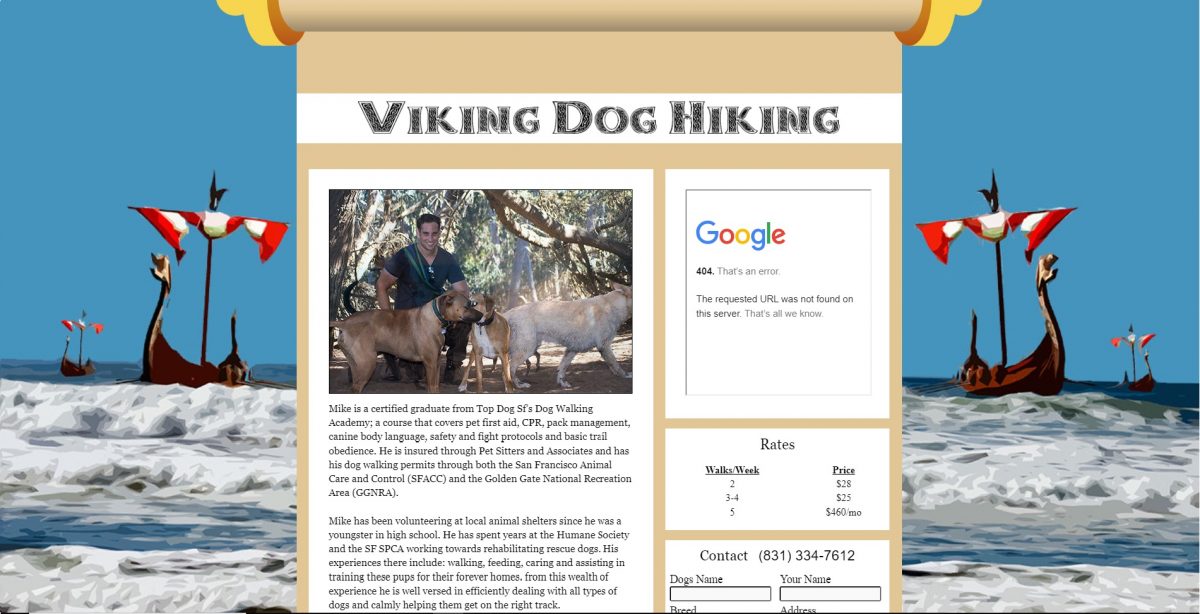
I made this in 2016. It was the very first one. I am very proud of it, because everything on here aside from this google map (it’s a 404 now)…

Mike Finklestein, who is a dog walker here, it was his service area for his dog walking business. 

So you were able to see actually, what zones he catered to. So imagine a google map and then a radius, slightly opaque. I actually went out with him, here in San Francisco to Fort Funston. I went on a walk with him and I took all these photos. I also created this background. Everything here, I made. I was really proud of it. I think I actually did a good job. I believe he paid me $300 for this. Given it was my first website, with the amount of time and effort I put into it…I think that was pretty fair there. 

I actually still think this is a fantastic website. I really like the design. It really goes with the Viking Dog Hiking bit. And even way back then in 2016, I knew about mobile responsiveness. 

(adjusts window size as window changes with it)

So if we drop this down, you can see…bring this back up here. You can see that it changes a bit. Look at that action there. Boom! 

(shows phone size screen)

That’s a phone.

(scrolls to the bottom)

You get a little menu at the bottom.

(hits About menu item at the bottom)

I believe this pops it up. Right? Pretty good for my first website, four years ago.

Mike’s a friend of mine there, and he’s still walking dogs. I started my own business for walking dogs for many years there. So, I thought I would just do a little retro action there, because nowadays I create complex user interfaces using the latest architecture and tools for handling reactive data, and this was just the good old days.

Well I hope everyone’s doing well during coronavirus. If you need any compex websites, with wordpress or web application development, please reach out and I will get back to you as soon as I can.

Thank you