Hi everyone,
Today I am going to be talking about a client of ours named LegalShield. We are currently working on the automation of several of their applications. This is the initial application and it is essentially a marketing blitz. Most people who are in business completely understand the importance of marketing. Increasing the efficiency of a solid marketing program really helps to improve and contribute to the overall growth of a company. You can do outstanding work and really help people but unless they know who and what you are, they most likely will not use your services.
( Screen Change – LegalShield Business Solutions Screen )
So let me explain what LegalShield is for context purposes. This is their main website here and the banner headline is “Affordable Legal Help for All”. That’s something I really like because I know many people in the world and specifically many Americans here cannot afford legal coverage. It is important and very helpful to have a company that can offer affordable legal services to the community. I feel good working with LegalShield, suffice it to say. So, I will now explain some of the areas of improvement of their software applications.
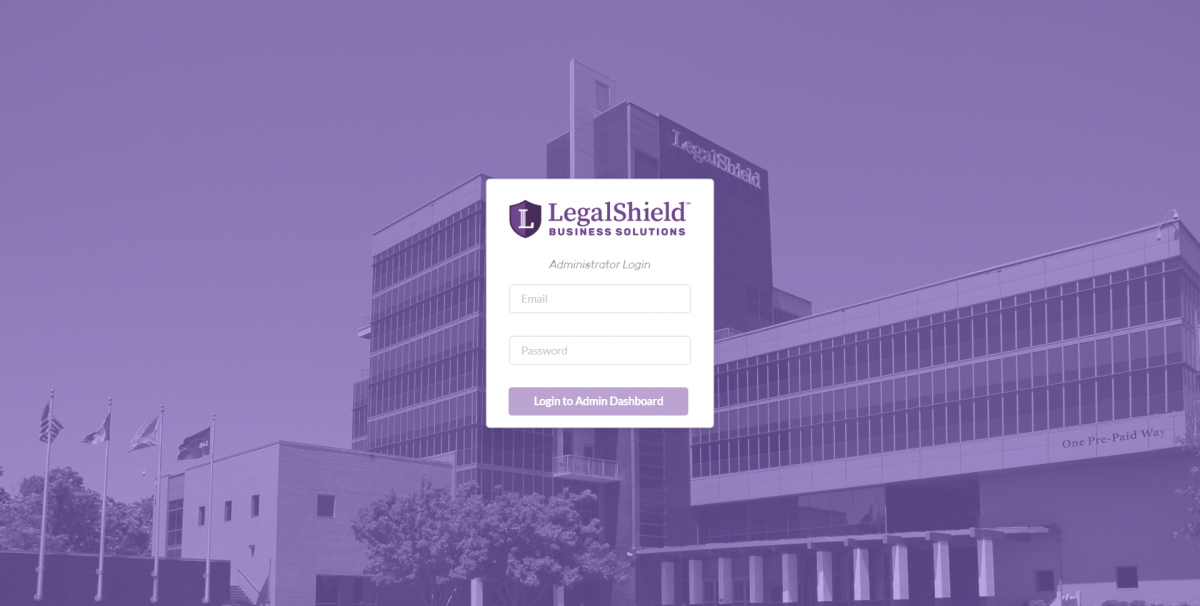
( Screen Change – Logging into Admin Dashboard Screen )
This is the Marketing Blitz here and I am going to log into the Admin panel first to set the Blitz and then show what it looks like for users. By the way, you can see the LegalShield building in the screen background.
( Screen Change Upcoming Scheduled Blitz Sessions )
We have three options that are available when a blitz is not currently active. These are the Blitz Scheduler, Managing Admins and also statistics. I will connect with the Scheduling part last.
( Screen Change – Current Blitz Admins )
Please check out the Admin Panel. I am logged in as an Admin under my backend developer account. You have different columns here which include Master Admins which has the highest level of privileges and can delete other Admins or create new Admins. You can also create a new Admin via this handy pop-up menu. You can filter, use a variety of pop-ups, delete, create a master and of course edit. Those are the main options available which as you can see are all pop-ups.
( Screen Change – Current Blitz Statistics )
Blitz Statistics is an important feature because it can be used to increase and optimize efficiency by using the available metrics. Previously, the metrics were not automated in this fashion and this is really a step up for LegalShield. We can implement this type of strategy and functionality for many businesses. We do custom development and most things you can conceive of – we can do. So there is deletion – this is a test blitz and let’s just delete it.
( Screen Change – Prospecting Blitz )
We have sorting capability on the columns. Let’s click thru one so you can see everyone’s names here. I will have to blur the names out because of privacy rules. You can sort the columns based on appointments and the entire header row. Pretty useful tool considering they give prizes to the top performers.
( Screen Change – Upcoming Scheduled Blitz Sessions )
Let’s check out the Scheduler and make a test blitz. So we go in here and insert Test Blitz and add the date which is Friday. Happy Friday everyone! It is almost 3:30 so let’s do it for two as it is already active and then lets keep this to the end. It is in 24 hour time notation just to avoid confusion. It’s a little bit extra math but I am sure everyone can handle it. So there it is and you can see 2:55 PM to 3:55 PM.
( Screen Change – Login – Test Blitz is Active )
So, if we go into the login and refresh this and say we are a user, you now have the name of the blitz which is active and ending in 26 minutes. All of the time functionality is adjusted for everyone’s time zones for storing and showing the data which is a very important function that can actually be more complex than people would assume. So, let me join the blitz. As you can see, this is my personal data that can be automatically populated. How did we do that? We take the IP and store the user’s prior logged in details and automatically send that to the front end and pre-populate it. We have this drop down menu which is a State and Province supporting candidate as well and you can see it is actually a search drop down menu where you can search and see how that works.
( Screen Change – Welcome to Group Prospecting Blitz )
So, let’s join the Blitz as this is what it is all about right here. As you can see it is a Marketing Blitz. So, imagine a big leaderboard here and you have a moderator that can put in comments which includes the time that it is ending. Please note that all of this works and is fully supported on mobile devices. So, nothing can go below zero which really improves efficiency. There is also a gamification aspect to this and I think this will also improve the overall experience for the marketing staff. Previously they would work from home making calls and just writing down what they did. This on the other hand, is more of an interesting event which has a bit of excitement and challenge to it. I know if I was doing marketing, I would prefer this versus the standard alternative.
( Screen Change – Test Blitz is Active, Ending in… )
( Logging as Admin – Upcoming Scheduled Blitz Sessions )
( Moderator Comments )
So let’s check out comments. Let’s say I am logging in as an Admin after the blitz has started. At the same time the managed users and managed comments function is enabled. So, let’s start with comments and show you comment one, comment two and comment three. Please note that Josh is my backend developer and for ease of operation we have the Admin Account in his name.
( Screen Change – Welcome to Group Prospecting Blitz – User Facing Side )
If we go to the user facing side, we have comments one, two and three and you can see that Josh is also added. The way we worked this out, is similar to a giant room essentially via Socket IO so the Admins are connected to the room and its OK if they are in the Leaderboard as it shows everyone that they are present, despite not working on calls or appointments. This is an intended function. As you can see comments one, two and three and let’s say we delete comment two. You can see only comments one and three appear on the screen.
( Screen Change – Current Blitz Users )
Also, here is an interesting and fun function. As you can see, the screen shows the people who are active in the Blitz right now and this is my account which is located on the user-facing side. I do not want to block by email or IP address because I do have to work on these items as well as others but let’s say we want to delete the user. Now deleting a user will essentially delete the user from the database and remove them from the Blitz. So watch what happens on the screen when I execute that action. If I click and delete the user is gone. Now it is a white screen because I have been deleted or kicked out of the Blitz. No Blitz for me today! So, that would be what would happen should someone be banned or permanently blocked – they would be seeing only a white screen.
( Screen Change Affordable Legal Help for All )
In summary, as you can see, this is the marketing software we do for LegalShield. We also have other software we are planning to develop with them and look toward partnering with LegalShield as a long term client to help improve their overall business, bottom line and essentially the value that they bring to the lower income option in this aspect. In other words a more affordable or economical option for people so they can receive helpful, high quality and affordable legal advice. So, feel free to visit www.legalshield.com if you need any type of coverage or legal plan that is available from their website.
Thank you everyone and please contact us should you require high quality and timely custom web development. Thank you for your time.