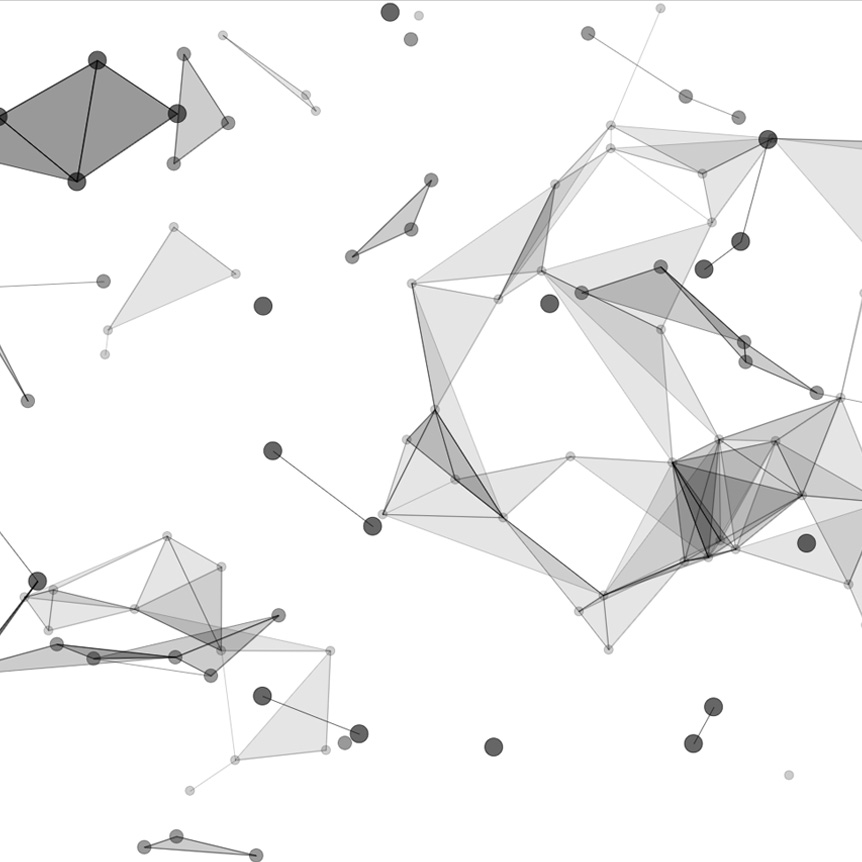
Alright, This is my second stage video here, about p5.js. Originally, I had shown a video that was a simple ball bouncing script. You know, that’s kind of the Hello World of animation, as far as I’m concerned. If you missed video you can check it out on the company Facebook page or the website. This is about p5.js here, so p5.js.org a 2D animation canvas library does some cool things makes it a lot faster for some simple canvas animations.
Now this was like I said, the second stage. I built this when I was working as the only developer for a company called Correlation One. Way back in the day I was working for Asham and Rasheed, both of them were just starting the company over there in New York and now it’s actually backed by Soft Bank and they’re changing the world.
So really amazing stuff. I was inspired by the data science bit about it all. So I thought wow, it would be cool to create something where I could just take a screenshot with a plug-in and have a perfect background that’s generative. You know generative art here, data science style.
So in it, there are some different things you can do. If you hold down on the arrow key you reduce the overall count. So look, now there’s a lot less. If I go up I can really max it out. The interesting thing about this that I actually thought was clever in the implementation of this…this is 2D, but it looks a bit 3D because I’ve gone and done a bit of illusion work here with size and transparency. So if you see….
(unwanted window opens, he closes it out)
wow, hold on guys. Alright, so if you see it’s smaller, more transparent in the background you have the larger ones, and they only connect to the ones on the same plane, which is really an array.
So you have three different arrays, foreground, middle ground, background, typical art-style, but you can also change…
(changes color)
the color. So there are a couple of different presets that allow people to edit thighs differently in say Photoshop or Illustrator.
(cycling through effects)
So you take this as the base and you are able to use some cool effects later on. You can also remove the fill by going on the left arrow. The right arrow cycles through, the left arrow will cycle through in reverse but without fill. So you can see the triangles are not filled at all.
I had a really great time in doing this. It was really cool seeing the performance of p5.js., and this repo is available.
(changes screen to view code)
So if you want to check it out, you totally can. I would say, look at the ball bounce first. I had a lot of repos, but only a few are public. Very few are actually public, so you will be able to see both.
This is just a building off of the original one, it’s a good way to get creative in p5.js.
(highlights array)
You can see a little more things that I did with key code pressing and updating multi-dimensional arrays, a depth layer, and then then I, and this is drawing other layers, it’s broken out into a different function clause. This is ES5, this is a while ago, but it’s fairly straight forward and pretty clean to understand, I believe.
So check it out if you like p5.js and I hope this was helpful for you.
(switches to Stack Overflow website)
I’ve also answered some questions on stack overflow about p5.js, so you many in poking around online find me on there as well.
(switches back to generative art page)
I hope this was helpful guys, and once again, if you have any very cool animation projects or just Javascript orientated work I would love to come onto the project and see how I could help deliver those fantastic results for you.
Take care and be well. Bye.